REST API reference
The REST API allows accessing the content-types through API endpoints. Strapi automatically creates API endpoints when a content-type is created. API parameters can be used when querying API endpoints to refine the results.
This section of the documentation is for the REST API reference for content-types. We also have guides available for specific use cases.
All content types are private by default and need to be either made public or queries need to be authenticated with the proper permissions. See the Quick Start Guide, the user guide for the Users & Permissions feature, and API tokens configuration documentation for more details.
By default, the REST API responses only include top-level fields and does not populate any relations, media fields, components, or dynamic zones. Use the populate parameter to populate specific fields. Ensure that the find permission is given to the field(s) for the relation(s) you populate.
The Strapi Client library simplifies interactions with your Strapi back end, providing a way to fetch, create, update, and delete content.
Endpoints
For each Content-Type, the following endpoints are automatically generated:
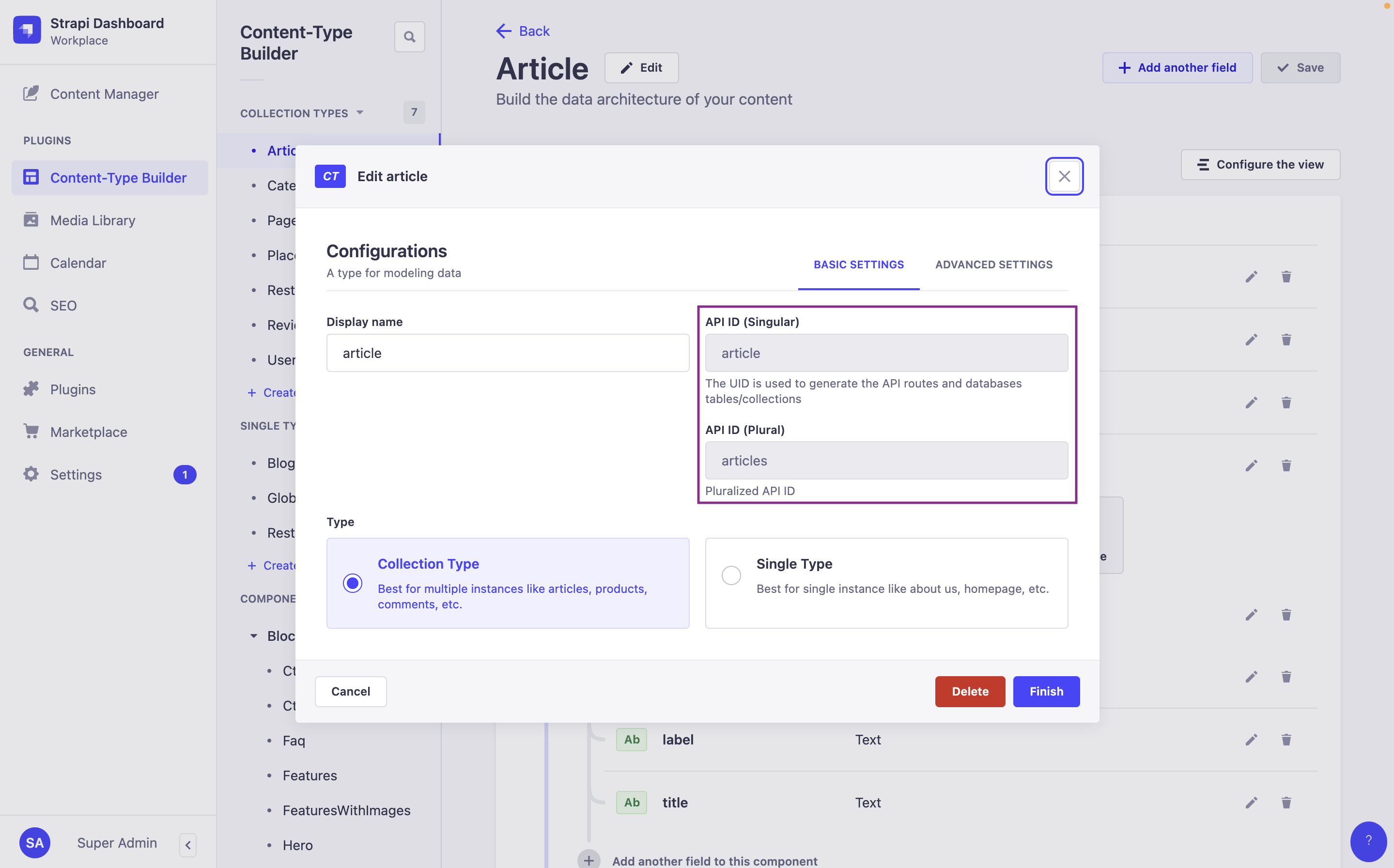
Plural API ID vs. Singular API ID:
In the following tables:
:singularApiIdrefers to the value of the "API ID (Singular)" field of the content-type,- and
:pluralApiIdrefers to the value of the "API ID (Plural)" field of the content-type.
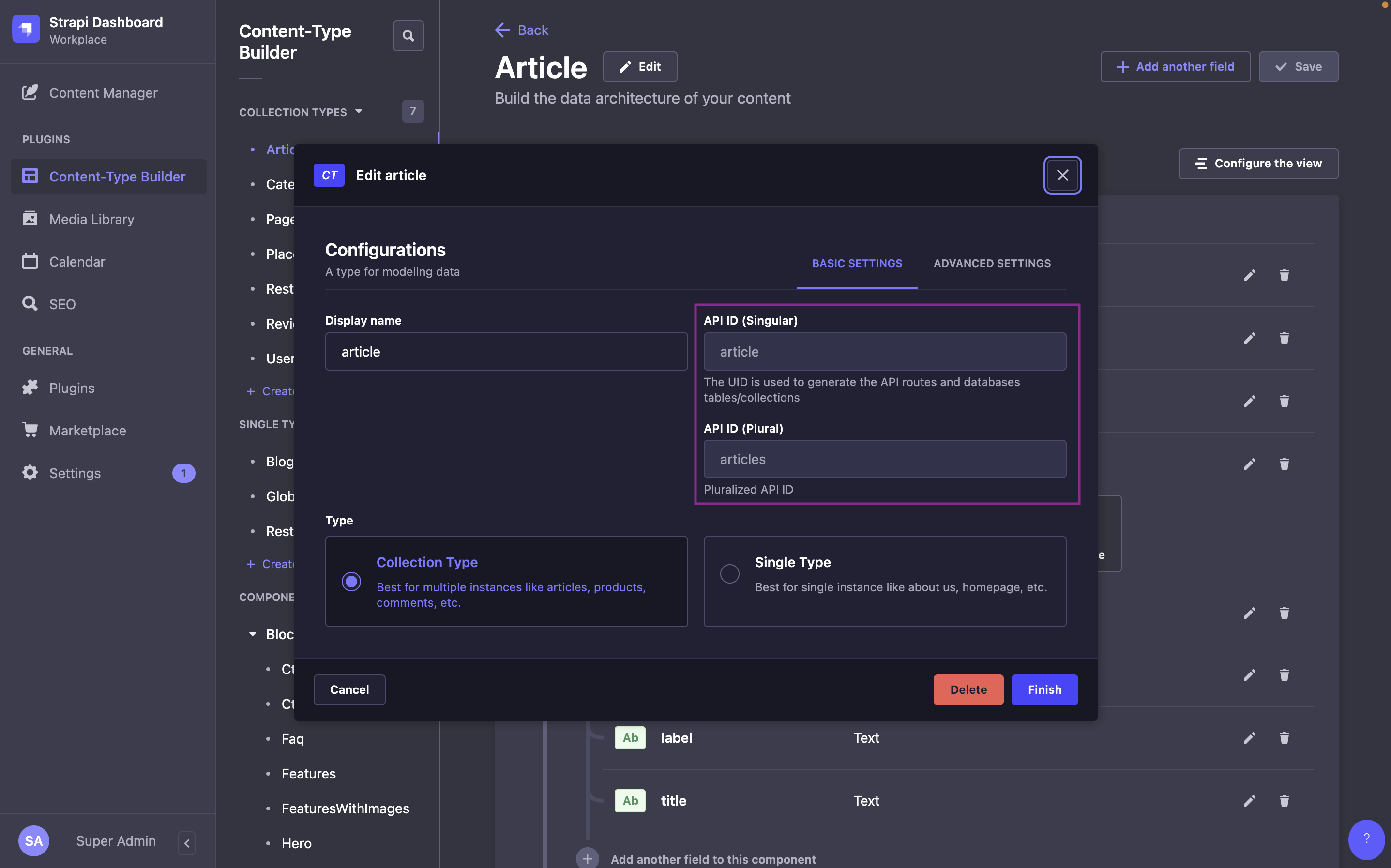
These values are defined when creating a content-type in the Content-Type Builder, and can be found while editing a content-type in the admin panel (see User Guide). For instance, by default, for an "Article" content-type:
:singularApiIdwill bearticle:pluralApiIdwill bearticles
- Collection type
- Single type
| Method | URL | Description |
|---|---|---|
GET | /api/:pluralApiId | Get a list of documents |
POST | /api/:pluralApiId | Create a document |
GET | /api/:pluralApiId/:documentId | Get a document |
PUT | /api/:pluralApiId/:documentId | Update a document |
DELETE | /api/:pluralApiId/:documentId | Delete a document |
| Method | URL | Description |
|---|---|---|
GET | /api/:singularApiId | Get a document |
PUT | /api/:singularApiId | Update/Create a document |
DELETE | /api/:singularApiId | Delete a document |
The Upload package (which powers the Media Library feature) has a specific API accessible through its /api/upload endpoints.
Components don't have API endpoints.
Requests
Strapi 5's Content API includes 2 major differences with Strapi v4:
- The response format has been flattened, which means attributes are no longer nested in a
data.attributesobject and are directly accessible at the first level of thedataobject (e.g., a content-type's "title" attribute is accessed withdata.title). - Strapi 5 now uses documents and documents are accessed by their
documentId(see breaking change entry for details)
Requests return a response as an object which usually includes the following keys:
-
data: the response data itself, which could be:- a single document, as an object with the following keys:
id(integer)documentId(string), which is the unique identifier to use when querying a given document,- the attributes (each attribute's type depends on the attribute, see models attributes documentation for details)
meta(object)
- a list of documents, as an array of objects
- a custom response
- a single document, as an object with the following keys:
-
meta(object): information about pagination, publication state, available locales, etc. -
error(object, optional): information about any error thrown by the request
Some plugins (including Users & Permissions and Upload) may not follow this response format.
Get documents
In Strapi 5 the response format has been flattened, and attributes are directly accessible from the data object instead of being nested in data.attributes.
You can pass an optional header while you're migrating to Strapi 5 (see the related breaking change).
Returns a paginated list of documents. Supports filtering, sorting, field selection, and relation population.
field:asc or field:desc125, max 100curl 'http://localhost:1337/api/restaurants' \
-H 'Authorization: Bearer <token>'{
"data": [
{
"id": 2,
"documentId": "hgv1vny5cebq2l3czil1rpb3",
"Name": "BMK Paris Bamako",
"Description": null,
"createdAt": "2024-03-06T13:42:05.098Z",
"updatedAt": "2024-03-06T13:42:05.098Z",
"publishedAt": "2024-03-06T13:42:05.103Z",
"locale": "en"
},
{
"id": 4,
"documentId": "znrlzntu9ei5onjvwfaalu2v",
"Name": "Biscotte Restaurant",
"Description": [
{
"type": "paragraph",
"children": [
{
"type": "text",
"text": "Welcome to Biscotte restaurant! Restaurant Biscotte offers a cuisine based on fresh, quality products, often local, organic when possible, and always produced by passionate producers."
}
]
}
],
"createdAt": "2024-03-06T13:43:30.172Z",
"updatedAt": "2024-03-06T13:43:30.172Z",
"publishedAt": "2024-03-06T13:43:30.175Z",
"locale": "en"
}
],
"meta": {
"pagination": {
"page": 1,
"pageSize": 25,
"pageCount": 1,
"total": 2
}
}
}Get a document
In Strapi 5, a specific document is reached by its documentId.
Returns a single document by its documentId. Supports field selection and relation population.
restaurants)curl 'http://localhost:1337/api/restaurants/znrlzntu9ei5onjvwfaalu2v' \
-H 'Authorization: Bearer <token>'{
"data": {
"id": 6,
"documentId": "znrlzntu9ei5onjvwfaalu2v",
"Name": "Biscotte Restaurant",
"Description": [
{
"type": "paragraph",
"children": [
{
"type": "text",
"text": "Welcome to Biscotte restaurant! Restaurant Biscotte offers a cuisine based on fresh, quality products."
}
]
}
],
"createdAt": "2024-02-27T10:19:04.953Z",
"updatedAt": "2024-03-05T15:52:05.591Z",
"publishedAt": "2024-03-05T15:52:05.600Z",
"locale": "en"
},
"meta": {}
}Create a document
While creating a document, you can define its relations and their order (see Managing relations through the REST API for more details).
Creates a new document and returns it. Send field values inside a data object in the request body.
curl -X POST \
'http://localhost:1337/api/restaurants' \
-H 'Authorization: Bearer <token>' \
-H 'Content-Type: application/json' \
-d '{
  "data": {
    "Name": "Restaurant D",
    "Description": [
      {
        "type": "paragraph",
        "children": [{ "type": "text", "text": "A very short description goes here." }]
      }
    ]
  }
}'{
"data": {
"documentId": "bw64dnu97i56nq85106yt4du",
"Name": "Restaurant D",
"Description": [
{
"type": "paragraph",
"children": [
{
"type": "text",
"text": "A very short description goes here."
}
]
}
],
"createdAt": "2024-03-05T16:44:47.689Z",
"updatedAt": "2024-03-05T16:44:47.689Z",
"publishedAt": "2024-03-05T16:44:47.687Z",
"locale": "en"
},
"meta": {}
}Update a document
- Even with the Internationalization (i18n) plugin installed, it's currently not possible to update the locale of a document.
- While updating a document, you can define its relations and their order (see Managing relations through the REST API for more details).
Each entry you send for a dynamic zone must include __component with the target component's UID (for example shared.media). Strapi uses that field to pick the component schema when you create or update items in the zone; without it, writes can fail validation or return success without changing data. Use the UID shown in the Content-Type Builder for each component in the zone.
Partially updates a document by documentId and returns its value. Send a null value to clear fields.
curl -X PUT \
'http://localhost:1337/api/restaurants/hgv1vny5cebq2l3czil1rpb3' \
-H 'Authorization: Bearer <token>' \
-H 'Content-Type: application/json' \
-d '{
  "data": {
    "Name": "BMK Paris Bamako",
    "Description": [
      {
        "type": "paragraph",
        "children": [{ "type": "text", "text": "A very short description goes here." }]
      }
    ]
  }
}'{
"data": {
"id": 9,
"documentId": "hgv1vny5cebq2l3czil1rpb3",
"Name": "BMK Paris Bamako",
"Description": [
{
"type": "paragraph",
"children": [
{
"type": "text",
"text": "A very short description goes here."
}
]
}
],
"createdAt": "2024-03-06T13:42:05.098Z",
"updatedAt": "2024-03-06T14:16:56.883Z",
"publishedAt": "2024-03-06T14:16:56.895Z",
"locale": "en"
},
"meta": {}
}Delete a document
Permanently deletes a document by documentId. This action is irreversible.
restaurants)curl -X DELETE \
'http://localhost:1337/api/restaurants/bw64dnu97i56nq85106yt4du' \
-H 'Authorization: Bearer <token>'